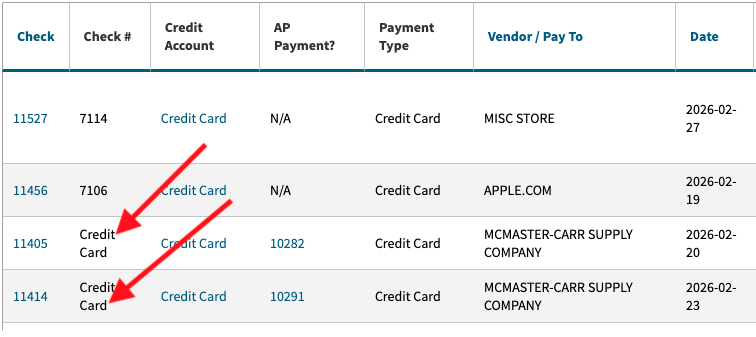
I am reconciling our credit card in the same way that I do each month. I have all of the transactions entered and marked as cleared in the Check Register. However, several transactions are not showing in the Account Reconcile list. All of the missing transactions appear to have been paid with A/P Payments, rather than “Create Check” entries.
Because the transactions do not appear, I am not able to complete the reconcile. The following transactions can be found in the Check Register: $56.44, $8.91, $8.91, $63.18, $128.64. All were paid by A/P Payment with the appropriate account number (GL 2138), but none of these are in the account reconcile.
I’ve tried refreshing, switching between old and new, and anything I could think to make them refresh and appear, but no luck. Please advise. Thank you, ~Sherri
Check Register link: Cetec ERP
Reconcile where the transactions do not appear: