Where can enter the COO and HTS so that it shows up on the invoice?
Hey Pat,
Let me do some digging on where you need to input that information so it shows up on the invoice object you generate.
I’ll be in touch with an update once I’ve got those details ironed out for you.
Thanks,
Cetec ERP Support
Thank you
Hey Pat,
I’ve got that update here for you regarding where to input the HTS code & where to input your COO data.
HTS Code:
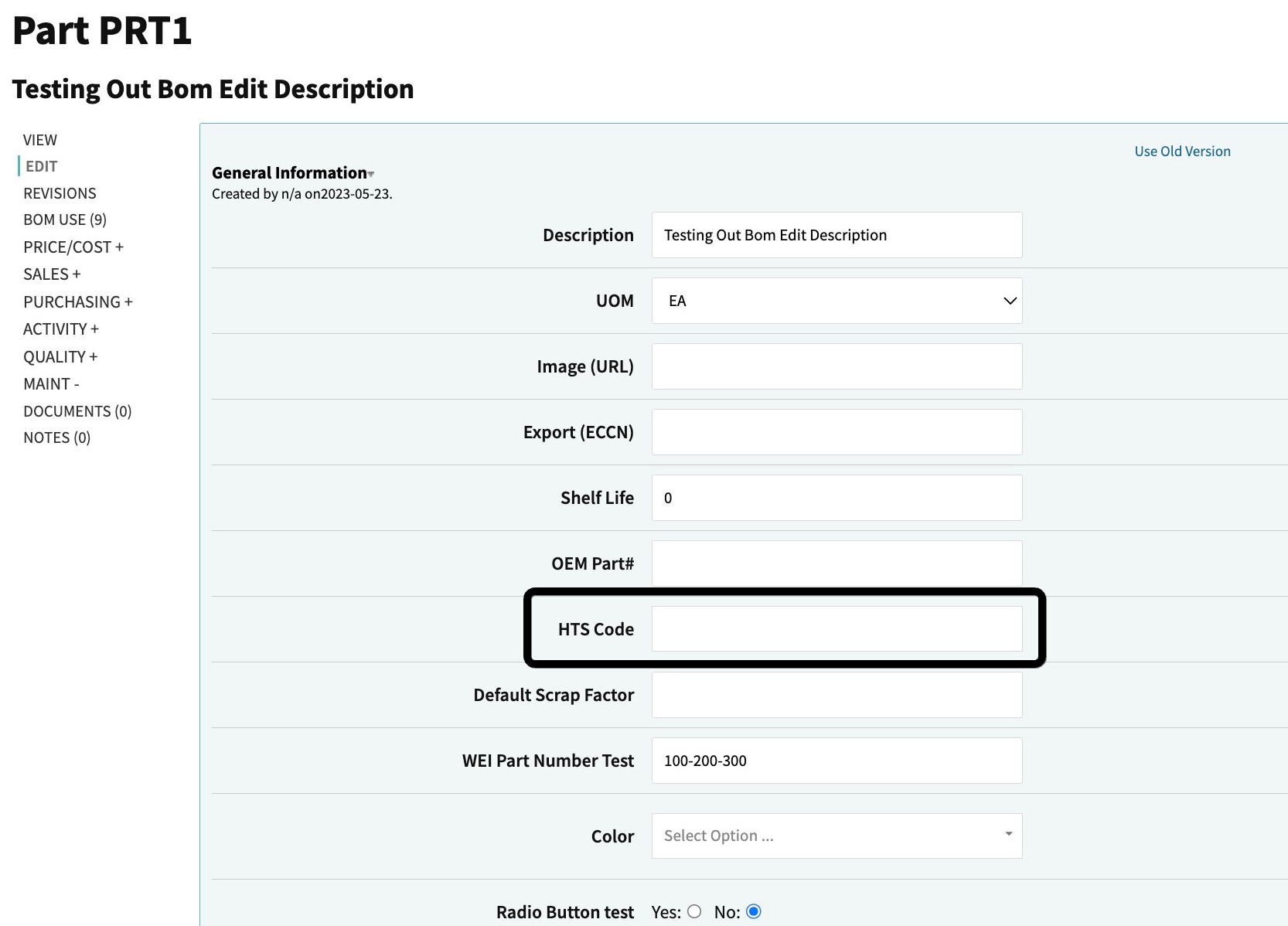
- you’ll add this via the prcpart edit page for your part record. There’s a field there called HTS Code that’ll pull to the invoice if you have the HTS field selected to show as a column:
COO Field:
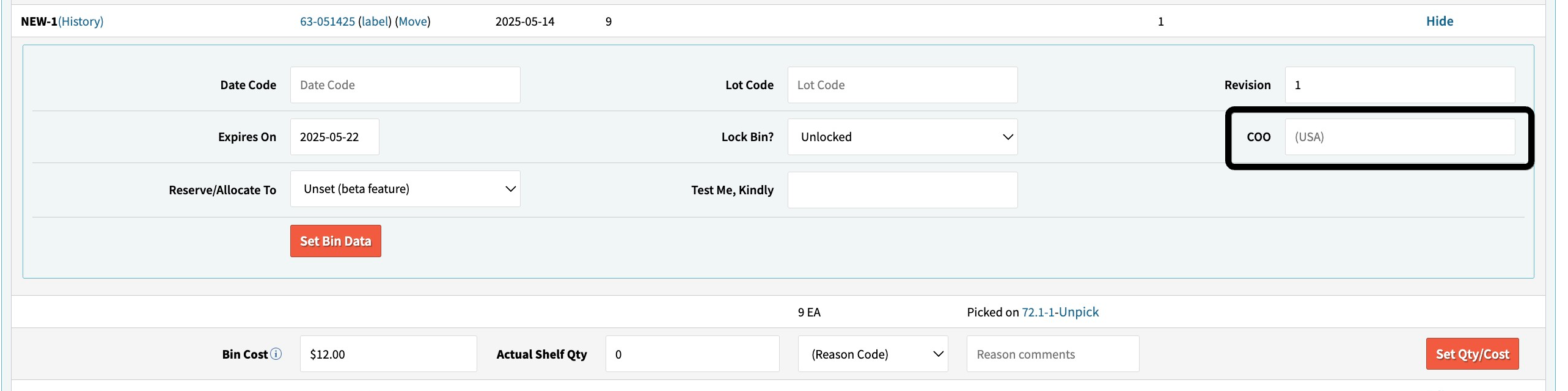
- this is going to be located at the bin level of your prcpart record. You have to go down into the bin data, hit the ‘Edit Bin’ hyperlink to pull up the bin edit popup, and input the COO of your choosing in the COO field:
Thanks!
Cetec ERP Support
This topic was automatically closed 90 days after the last reply. New replies are no longer allowed.