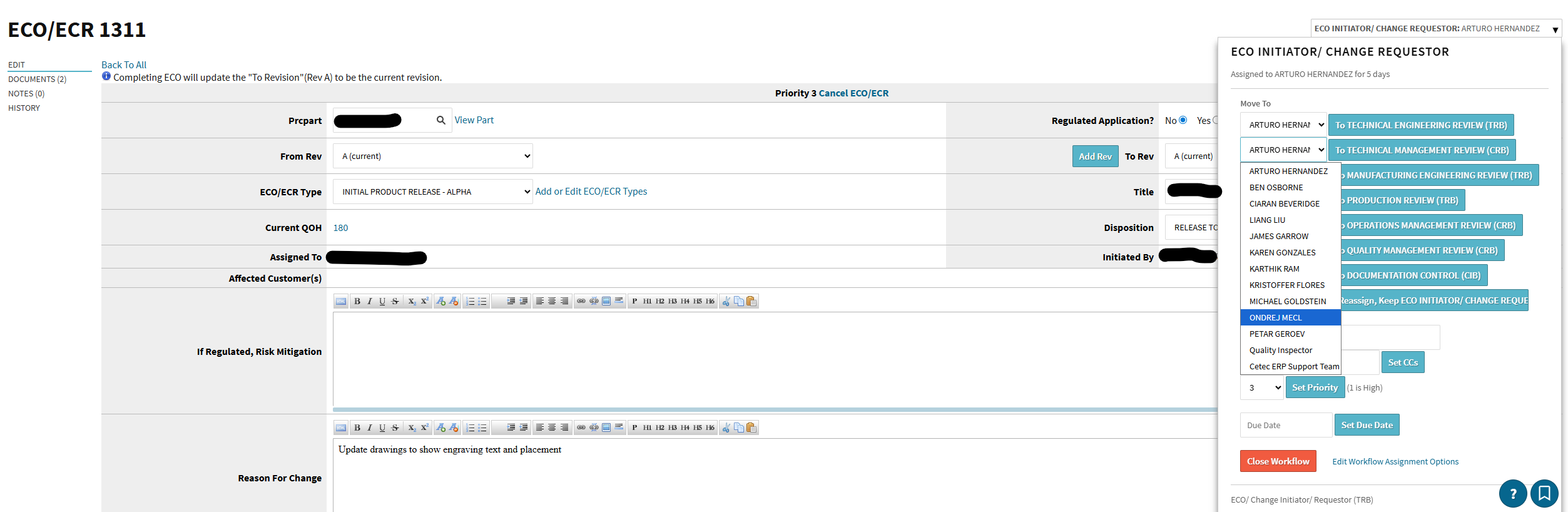
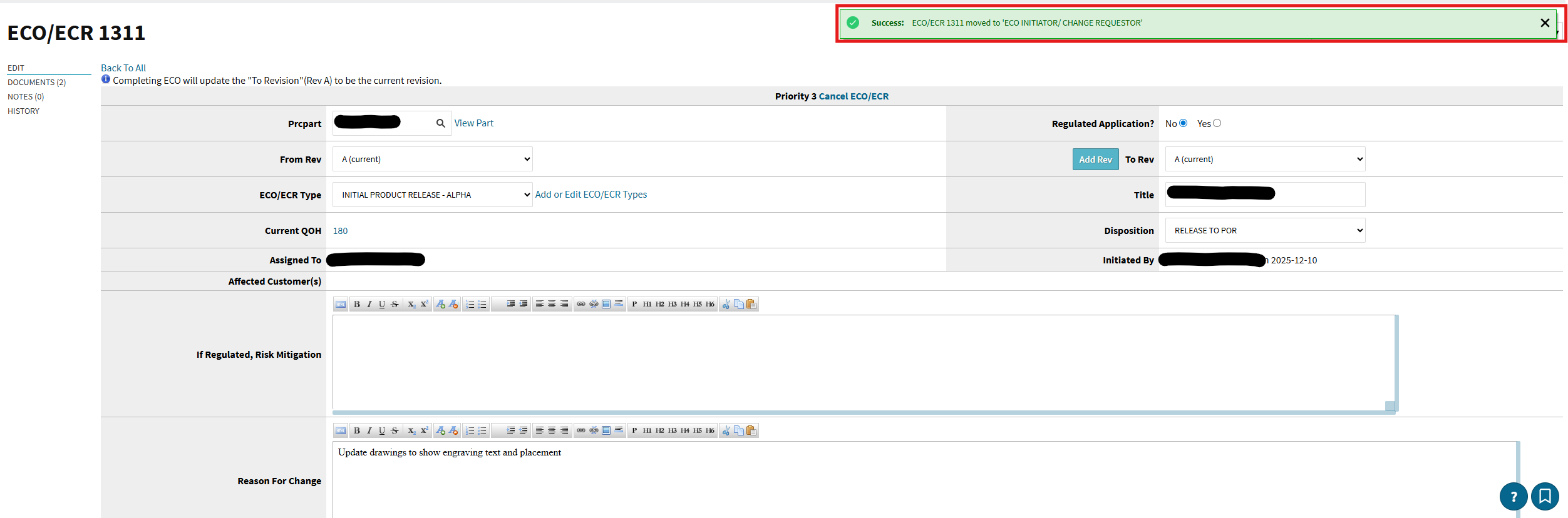
We have been trying to Move TWO ECOs (#1310 & #1311) to the next ‘Reviewer’ for Approval and when we select the reviewer from the drop-down and click the Button, the ECO just gets re-routed back to the ‘ECO Initiator’
Selecting the next ‘Reviewer’ from Approval Routing Drop-Down menu:
We aren’t aware of this being a global issue; a bit of a guess here, but is it happening with all users? In other words, are there any users you can successfully assign the ECO to (if you send it to yourself does it work?). If it’s only some users, it’s likely that the assignment is failing because of something about that user’s setup - often an invalid email address will cause problems here.
@karthik@kthomas An update for you both - I can confirm that we have a fix for this issue and anticipate it to appear in all environments in the new few business days.
For non-ECO workflow approvals, the New Version seems to work while the Old Version is broken. The ECO workflow only has one version, so I do not have a workaround for that particular bug until it is fixed. I would anticipate that fix deployed Monday, if not sooner!