When emailing a Purchase Order, I get the error shown in the screenshot
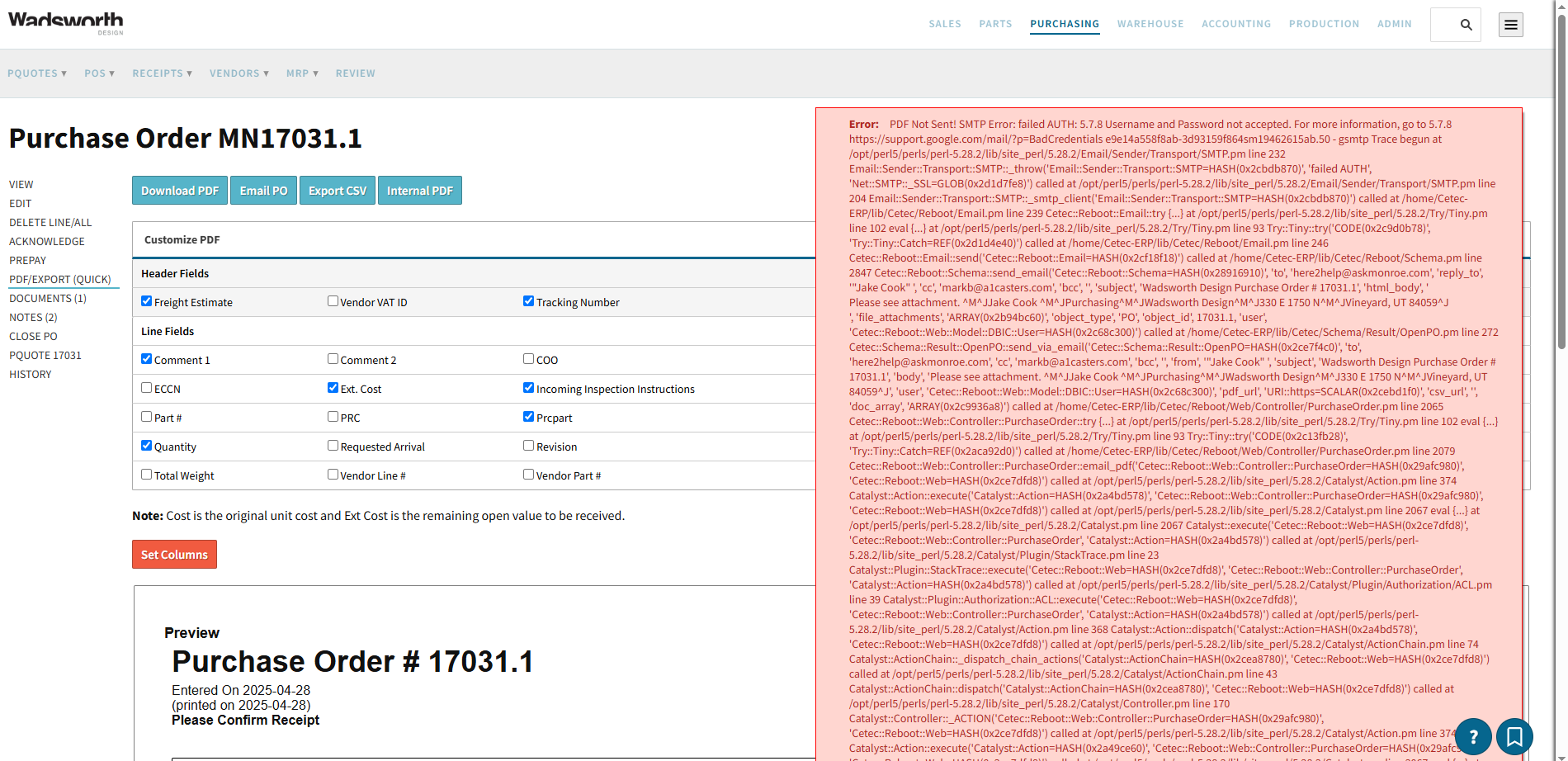
An SMTP error occurs when your email password changed or your email requires you to have 2FA turned on your account to email. These are things set with your email server but may require you to set up 2FA on your user profile.
I recommend reaching out to your IT admin to resolve the email issue, or updating the email password in your user profile.
Thanks,
Cetec ERP Support Team
All of our CETEC accounts are having the same issue. We have not changed email passwords. I don’t see and option to update email password in the user profile.
It should be noted that the Error given says ‘Email And Password not accepted’, not that they are not correct. If you use GMail as an email provider you may be affected by the recent changes to the way their authentication works. There may some helpful information available in their help information.
Got it. We’ll give a try. Thanks.
We’re seeing the same error. We have granted access to less secure apps in the google admin panel, and have also checked that the username and password in cetec are correct. This has recently stopped working (probably with the May 1 date).
We are able to send PDF’s from CETEC via Gmail, but the emails show cetec@wadsworthdesign as the sender. Is there a way to change this so the actual sender is shown?
I was able to change some settings, now the email sent shows outbound@cetecerp.com. Is there a way to change this? I would like the PDF sent from CETEC to show my email address.
thanks,
Jake
@jake thanks for your question!
Can you tell me how you’re sending the PDF? Is this from a PO or a Quote?
Thanks!
CetecERP Support
@jake try setting the config ‘email_allow_user_specified_from’ to a value of 1. In your case where you’ve configured your own smtp host and the users are authenticating using their own email address and email password.. when this config is set then the from address will be the users email address. Otherwise it will default to the value of config ‘email_from_address’ or otherwise ‘outbound@cetecerp.com’.
Thanks!
CetecERP Support
I am sending both PO’s and Quotes from CETEC.
I changed the config to 1 and it seemed to work. The email shows as sent from jake@wadsworthdesign.com via sendgrid.net. Is this correct?
Also, the email does not show up in my Gmail ‘sent’ box. Is there a setting to fix this as well?
@jake glad to hear that it’s working for you now.
Once we authenticate to gmail using your email address / password and request the email to be sent it’s on their side how the email is handled. Your email administrator may know if they’ve configured emails to go through sendgrid.
We have no control over whether or not emails show up under your sent label. I think gmail doesn’t have the idea of folders but rather tags the emails with labels that determines where they’re visible.
Thanks!
CetecERP Support