Hi,
We are purchasing imported items in multiple currencies such as CNY, USD, GBP, etc., while our default currency in Cetec is PKR. Currently, we face two main issues:
-
Cost Breaks in Multiple Currencies:
The cost break for each part can only be set in PKR. When we create a purchase order in a different currency, Cetec converts the PKR cost to the chosen currency. Due to fluctuations in exchange rates, the actual amounts vary, causing discrepancies. Ideally, we want to be able to set cost breaks for each part in multiple currencies to ensure accurate pricing. I attached snaps for reference. -
Pricing Permissions:
We also need a way to ensure that once the cost price is set, purchasing staff or other users (other than admin) cannot change the cost price of a part.
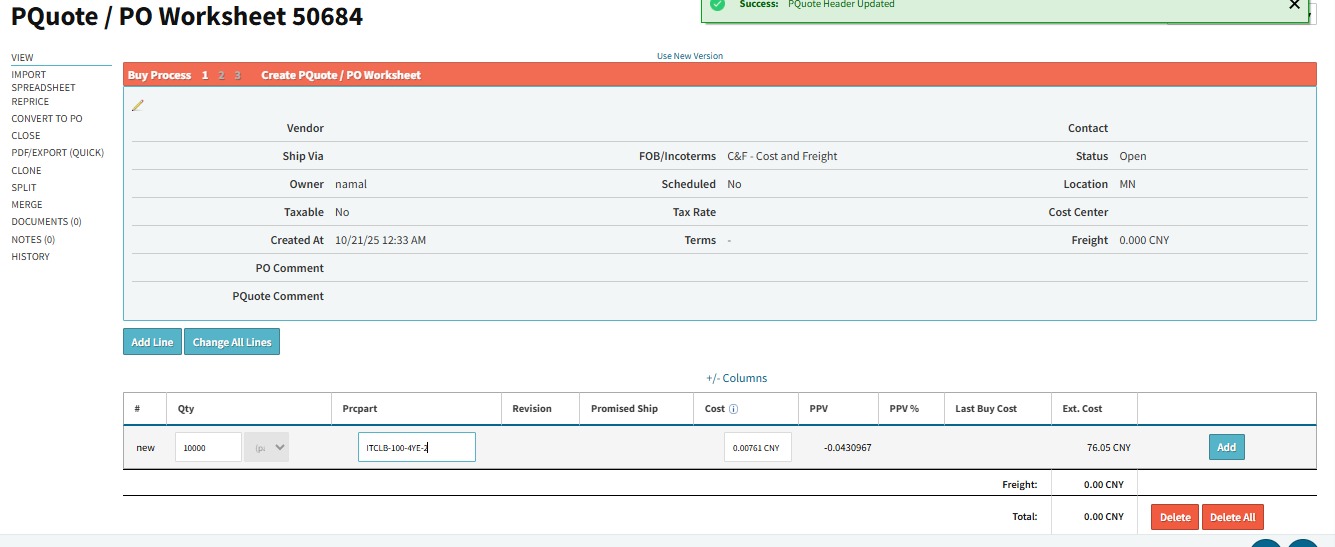
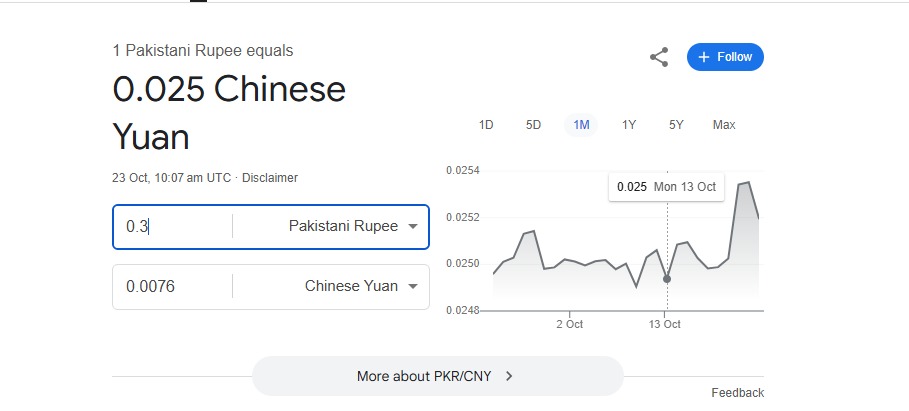
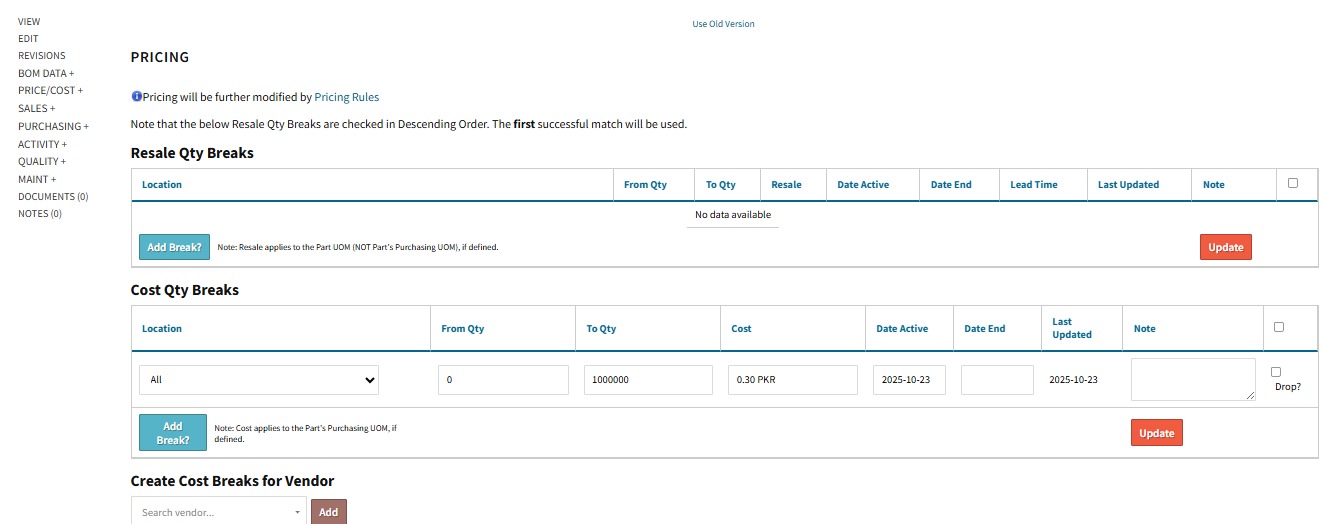
Has anyone faced similar issues, and how do you manage multi-currency cost breaks and cost price permissions in Cetec?
Thank you for your guidance.
Regards,
Rana Muneeb