patg
March 9, 2026, 1:37pm
1
I have started a New employee (Hannah), the drop down menu for clock-in does not appear. Everything else seems to work.
I have her Roles as Production Only and User. Same as three other employees. I have cleared the browser’s cache and cookies. I have refreshed as well.
Can you take a look at it and see what is needed?
Thank you,
patg
March 9, 2026, 8:03pm
2
Would it be possible to get a response on this today yet or early tomorrow?
Thank you for the support.
Pat
Hi @patg ,
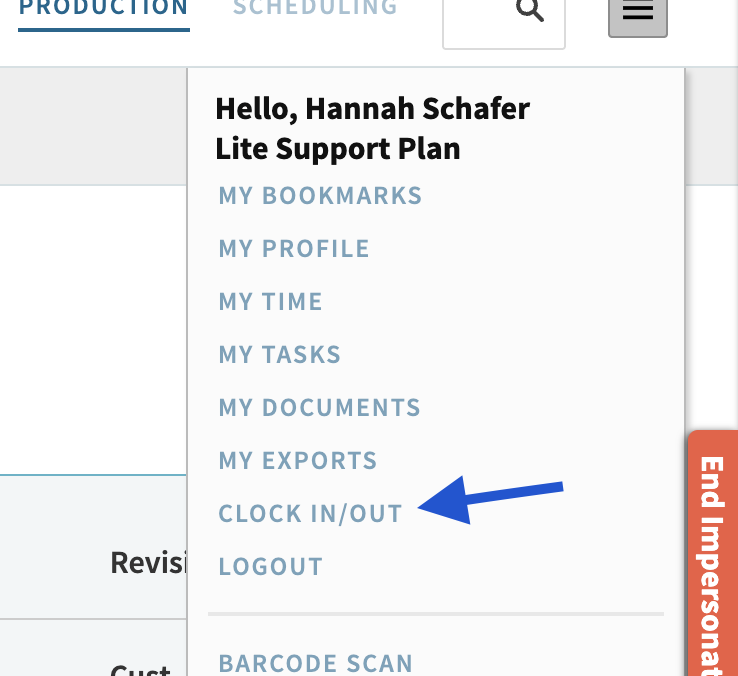
When I login and impersonate the user I can see the drop down clock-in tab under the menu option. Is this what you were saying is missing? If I click into this I can actually see that the user clocked in today as well.
Regards,
Cetec ERP Support
patg
March 13, 2026, 5:01pm
4
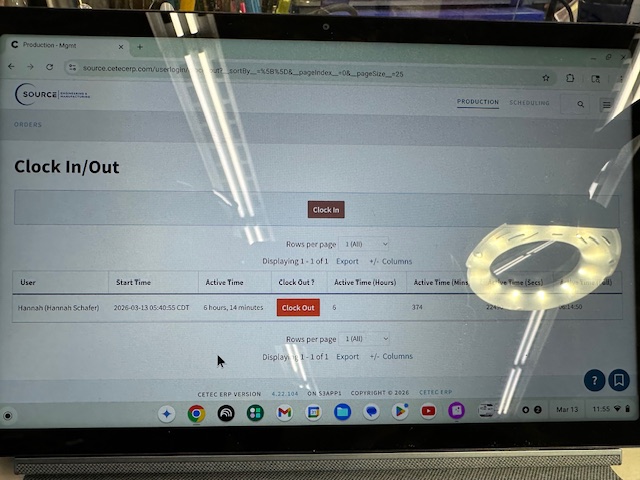
This is what we are seeing on Hanna’s tablet.
No dropdown box. Hanna has been clocking in on another person’s system.
Pat
patg
March 13, 2026, 5:53pm
5
My bad. It is because her user roles would not need access to other employees. No drop down required.
Sorry about that.
Thank you
system
June 11, 2026, 5:54pm
6
This topic was automatically closed 90 days after the last reply. New replies are no longer allowed.