Is there any way to speed up the time it takes to generate the MRP Standard Mode report?
Following up. Has anyone at Cetec been able to look into this? We are literally having to figure out what we need to buy manually…
@cetecerp23 @cetecerp7 Following up. This is having a major impact to our business. The Standard Mode doesn’t ever load. We need to know what we are short for our projects.
Hey Kylie,
Apologies on the delayed response here - I have MRP pulled up in your environment, and have confirmed it’s not loading on my end either.
I’m working with engineering as we speak to get this back up and functional for you.
Again my sincerest apologies on this issue you’ve been running into. I’m working to get this up and running for you as quickly as I can.
Thanks,
Cetec ERP Support
Hey Kylie,
I was able to get the MRP report to load within your environment:
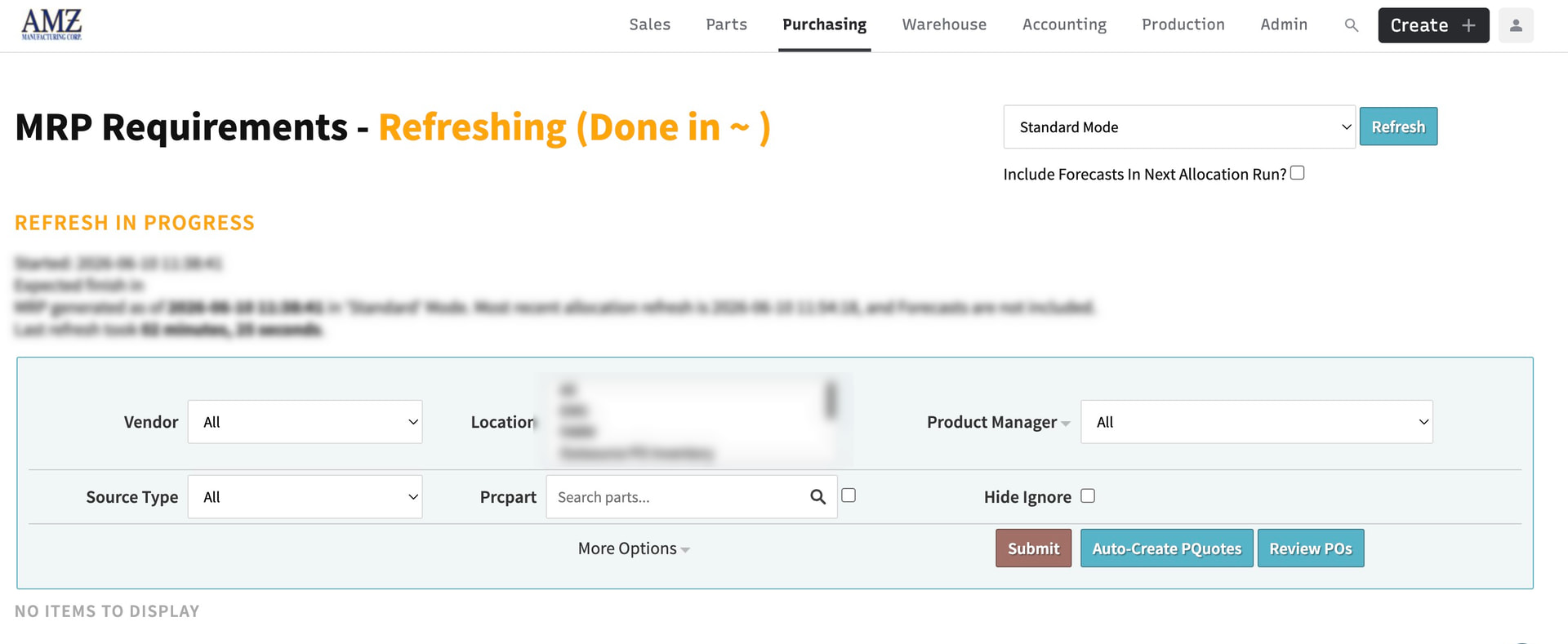
Note the refresh process is still currently undergoing it’s work through. Although I did have issues loading MRP - All when selecting it home from the homepage of your environment. I got around that by opening MRP (whichever option you choose) into a ‘New Tab’.
This allowed the report page to load as expected, and at this point I’m just waiting on the refresh process to load. Now the refresh process being somewhat slow… that takes some time to work through allocation, load the results, and populate that data.
Are you able to get the MRP report page to load, but it never provides you data for you to utilize on that page? Does the screen always show that it’s ‘Refreshing (Done In `)’ and results never pull down for you to work through?
Thanks,
Cetec ERP Support
Hey Kylie,
Updates here for you regarding this issue you’ve presented:
- First update here I was able to get your MRP to load in full (took roughly 90 minutes) - /pquote/assisted_purchasing?reloaded=1&debug=&vendor_search=&prod_mgr=&source_type=&part_search=&show_all_part_info=0&comm_code=&leadtime=&internal_only=all&bom_only=all&preferred_vendor=&action_type=&need_date_from=&need_date_to=&buy_signal_from=&buy_signal_to=&buy_date_type=me.new_to_mrp&order_restriction=&prodline=&show_more=0
Although this did take quite a while to load, there’s a reason for this extended MRP/refresh load time. You have the “Skip Allocation refresh on Assisted Purchasing” configuration setting turned off which forces the system to not only load up the buy report, but refresh & rerun ‘Allocation’ alongside it.
This significantly increases the amount of time it takes to load the buy report, but makes sure your MRP/buy report has the most recent allocation associated to that buy report.
I’ve talked to engineering here and you have allocation set to run/refresh every 2 hours within your resident hosted environment. An option to speed up this process is to turn off that configuration setting, and have allocation refresh during the slotted 2 hour time segments instead of having it refresh every time you populate the buy report.
Would that potentially be an option that would suffice here?
Thanks,
Cetec ERP Support
We could try that and see what happens.
Hey Kylie,
If you do take this route, please keep me in the loop on how that potentially alleviates the extremely long load time for MRP to populate on your end.
Apologies here I misspoke earlier - you need to turn ON your “Skip Allocation refresh on Assisted Purchasing” config to bypass the system enforcing the allocation refresh process every time MRP is populated.
Keep me in the loop if at all possible!
Thanks,
Cetec ERP Support