We are a Canadian based company. Most of our transactions (AP / Invoices, G/L) are in Canadian Dollars. We do however purchase certain items in USD. Currently we do not have multi currency enabled.
I have the following questions:
How do I go about activating a second currency (ie USD)
Can the AP transactions for that second currency be mapped into a second AP account (ie AP USD) and can a standalone USD subledger be produced?
In the voucher screen how do we specify that this is a USD transaction?
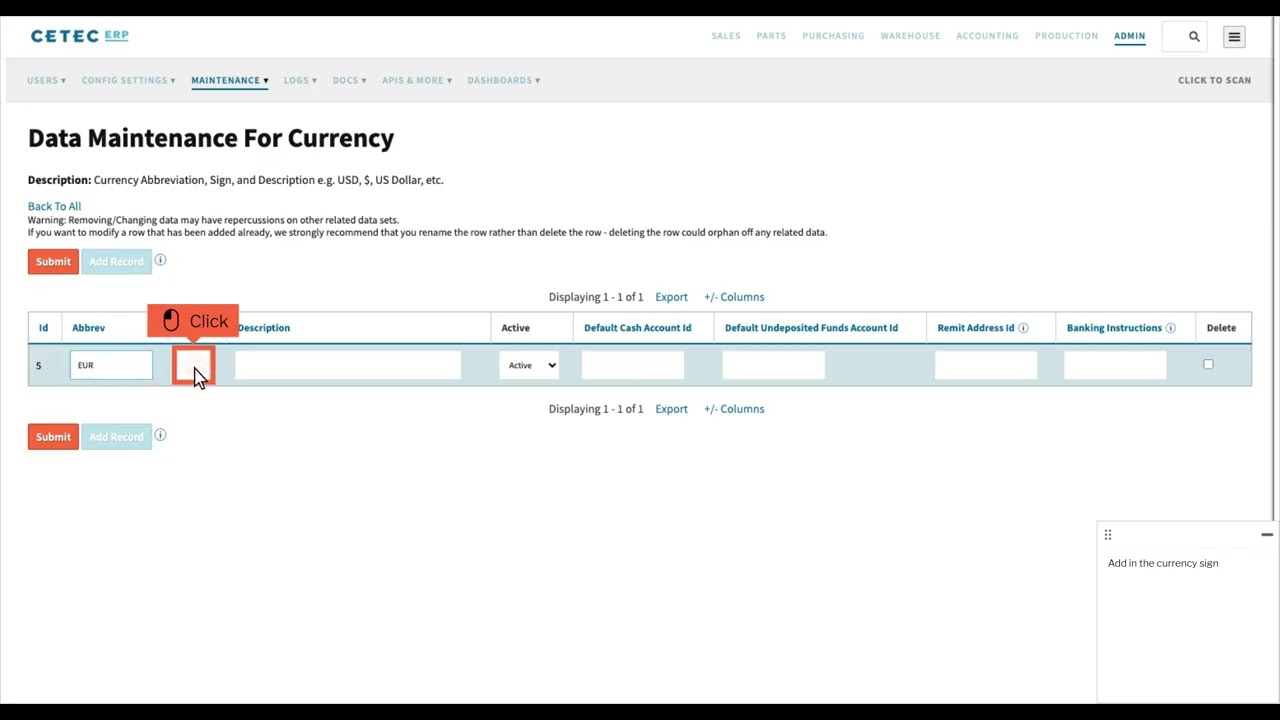
Here is a video to help you in configuring additional currencies.. you would probably want to make sure the first currency added is the default.
I believe the ledger will always use the default currency, there is not a notion of sub ledger by currency. Once you have configured multiple currencies then all AP objects will make the currency selection available to you. You will also need to add currency conversion rates by date so that the system can capture the value on the ledger.
@ImperialController I had a look at your configs.. it appears that your default currency was initialized as USD back in 2018. I can switch your default currency over to CAD and I believe since you have no active currencies then the values entered up to this point will just continue as before. Would you like me to do that for you?
Hello: Sorry for the late reply. If we switch the default currency over to CAD, will all the past transactions stay as before? At that point will we be able to start to process USD AP using a multi currency transaction?
@ImperialController correct.. when there are no active currencies defined then the amounts on sales / inventory / purchases are just a number. So if we switch the default currency to CAD then nothing will change. After the default currency is changes only then would we want to activate the currencies in data maintenance.
Thank you. Lets proceed to change the default currency to CAD. Please confirm when this is done. Do you need to turn on the USD or do I just have to add rates to data maintenance in order for it to work? Thanks!
You will want to check Data Maintenance under CurrencyRates and make sure you have a conversion rate value active in the past for both directions. It looks like you have some active rates defined from 2019 but you might want something more current.
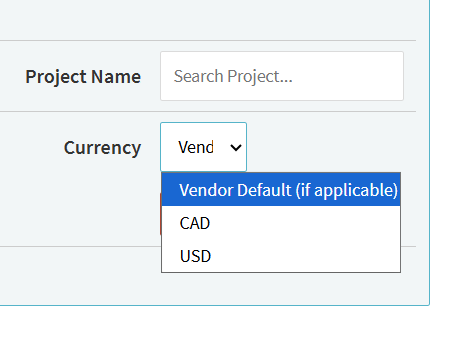
When the conversion rates look good to you then activate your Currencies.. once there are multiple active currencies you should see the Currency selection drop down on your Sales / Purchase Orders and Accounting screens.
@ImperialController you need to made sure the Canadian Dollar currency record is set to active in Data Maintenance. Once that’s active I think you should see the drop down.
Thank you. When creating a PO how to you signify when a PO is to be denominated in a foreign currency? I would think that would be important when it comes to things like inventory valuation. 4
Hello: I’m looking at the PO Quote for a new PO, as well as the PO header for an existing PO. I don’t see a foreign currency field in either. Thank you
@ImperialController When I go into a pquote on your production environment, click on the pencil icon to edit the quote and then click on more options to show all the quote fields.. then I see this just above the Update button.