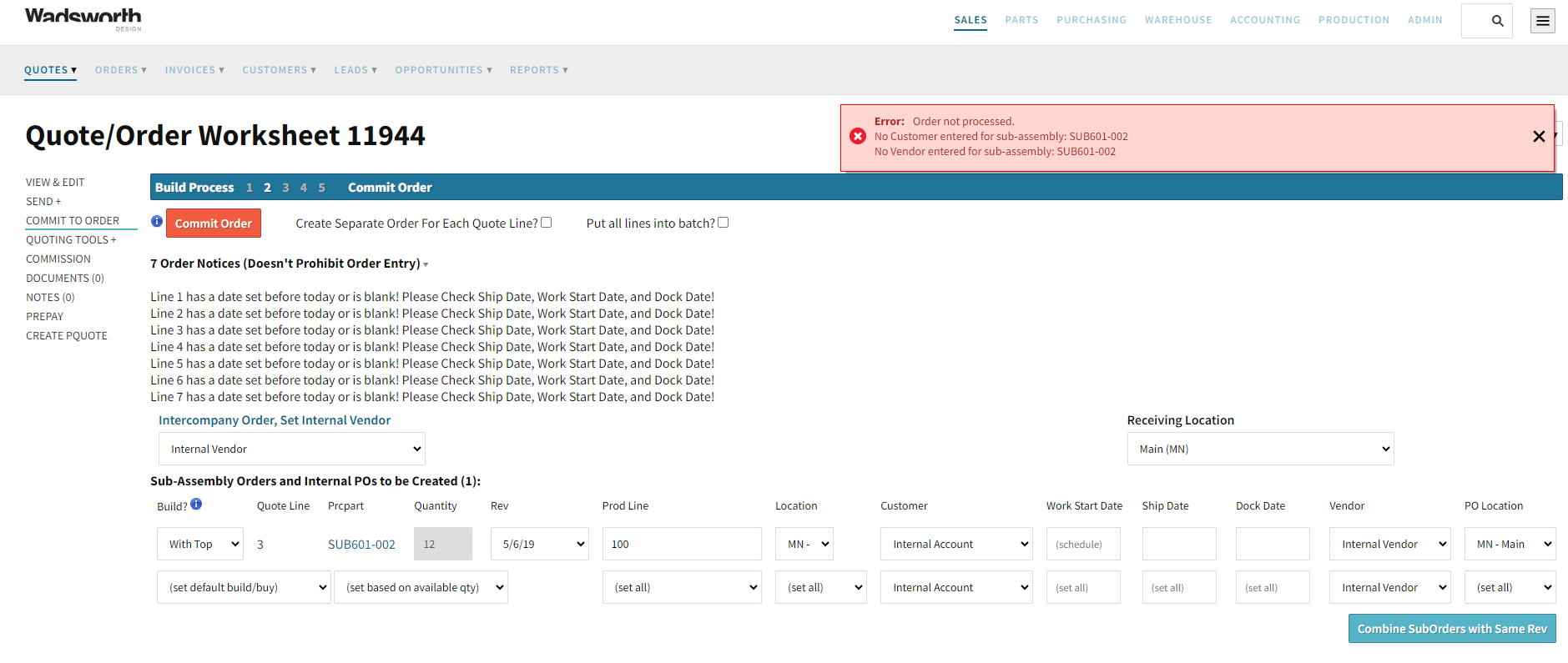
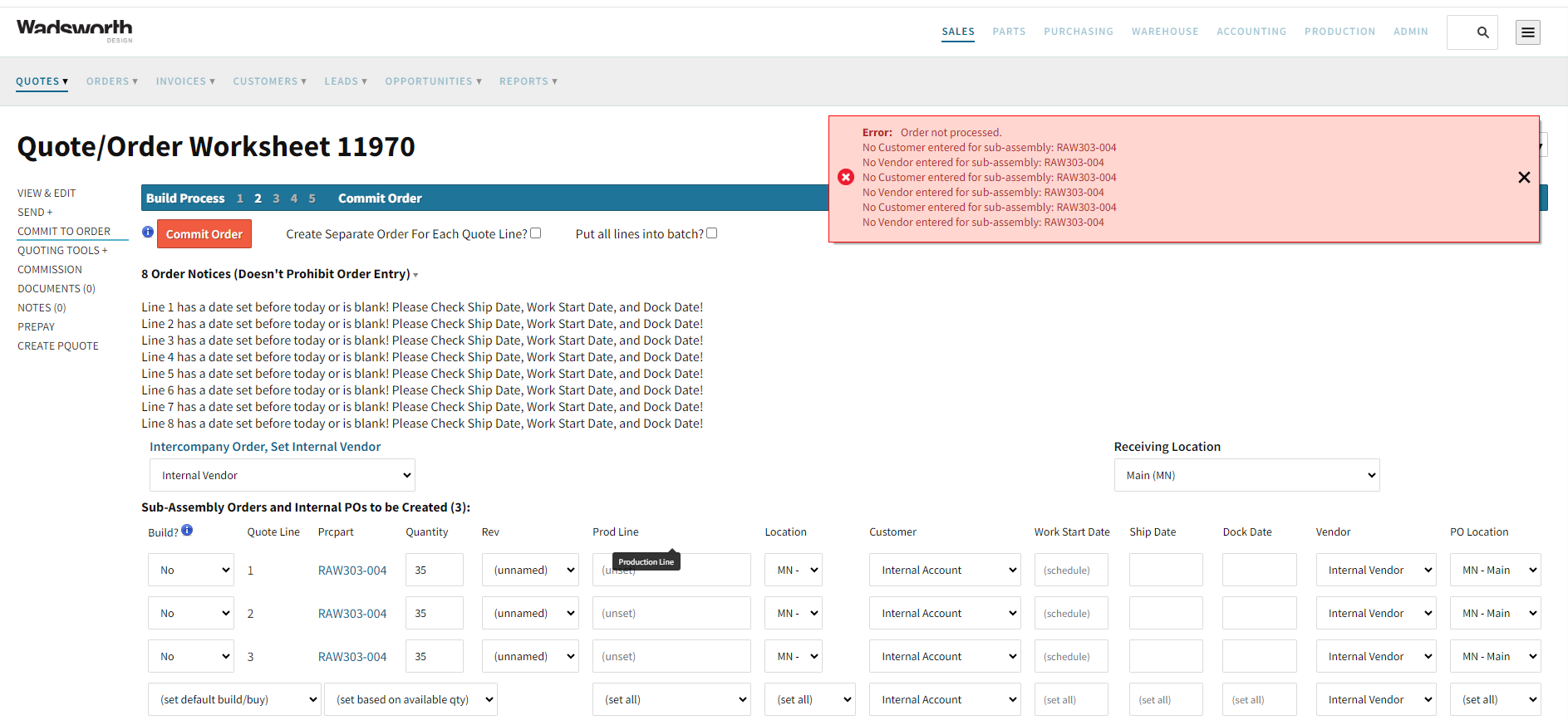
When commiting a Quote to an Order I receive no customer and no vendor errors for Part SUB601-002. I don’t see a field at the part level to enter a customer or vendor. This is not urgent, more of an annoyance.
Hi @jake
Is this only happening when the customer and vendor are set to internal account/internal vendor (like the screenshot shows)? I did a test case with an external customer and vendor and did not get that error - the order committed.
- Cetec ERP Support
Yes, only with internal account and internal vendor.
Apologies Jake, I am having difficulty replicating the issue. I was able to commit this order.
Would you mind checking once more to make sure this error is continuing? If it is, could you send me as detailed steps as possible so that I can replicate the issue as well? Thank you.
Sincerely,
Cetec ERP Support
I am always able to commit to Order, but the error appears anytime I use part # SUB601-002.
I’ll send another exapmle, but it has been happening everytime for over a year.
thanks,
Jake
I will email you a screen recording of my steps. Please advise on where I am going wrong in my replication.
- Cetec ERP Support
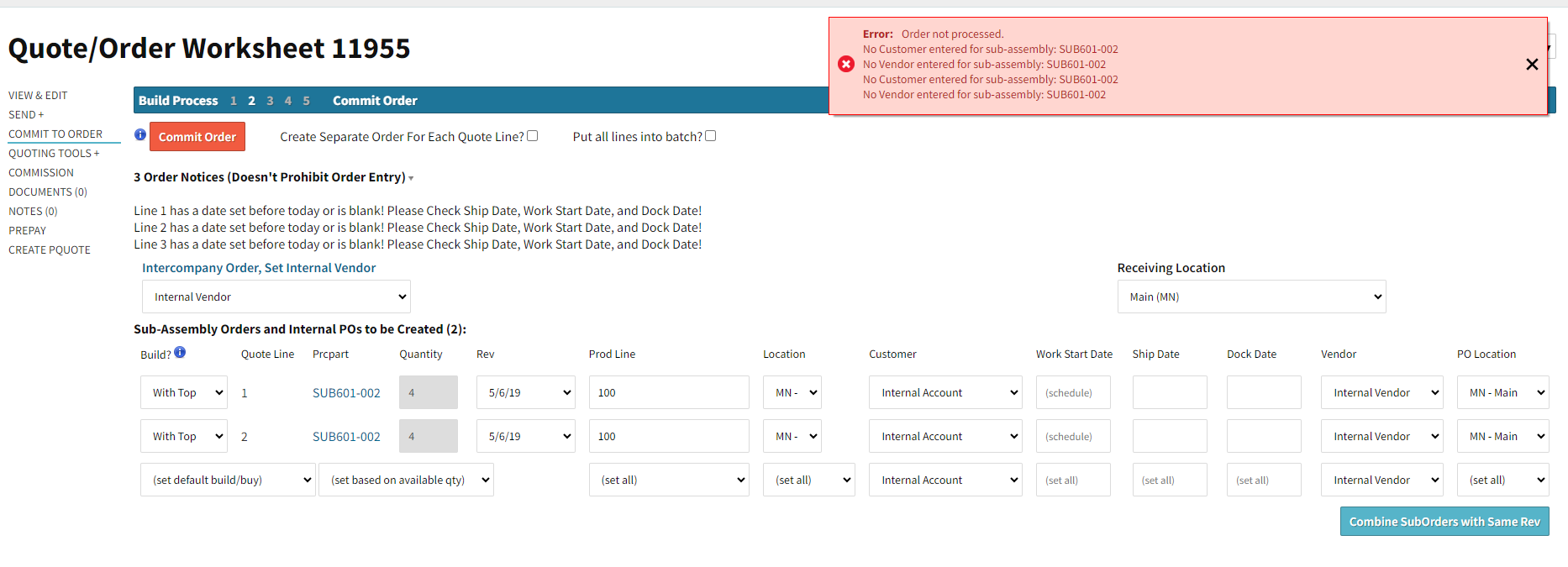
I believe the difference between what I am doing and the process you tried, is that I have SUB601-002 in sub-assemblies or BOM’s (marked as ‘build with top’). For example, Part # FIN301 has SUB601-002 as part of the BOM.
Therefore when creating an Order (ie. Order 11955.1) to build FIN301, the error appears as shown below in the screenshot.
I was unable to replicate this issue. I tried to find “FIN301” in your system but was unable to. So I tested CDN054-001, which has SUB601-002 as part of the BOM.
I created a quote, selected Build, selected Build With Top, but I was able to get the order to commit without the error appearing.
I am happy to jump on a screenshare call with you if it would be helpful. I’d like to get this solved for you. If you’d like to do this, let me know, and I’ll send you an email. Thanks Jake!
- Cetec ERP Support
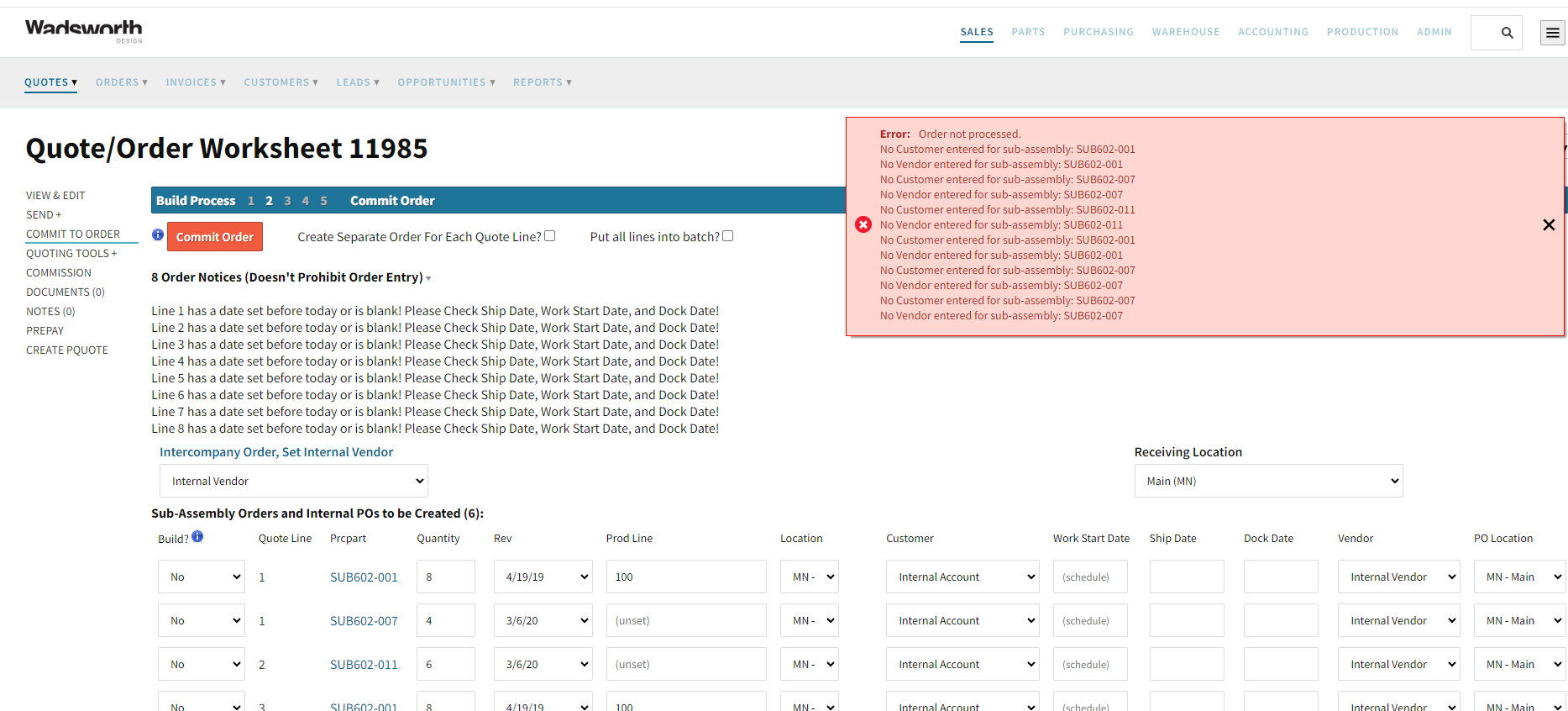
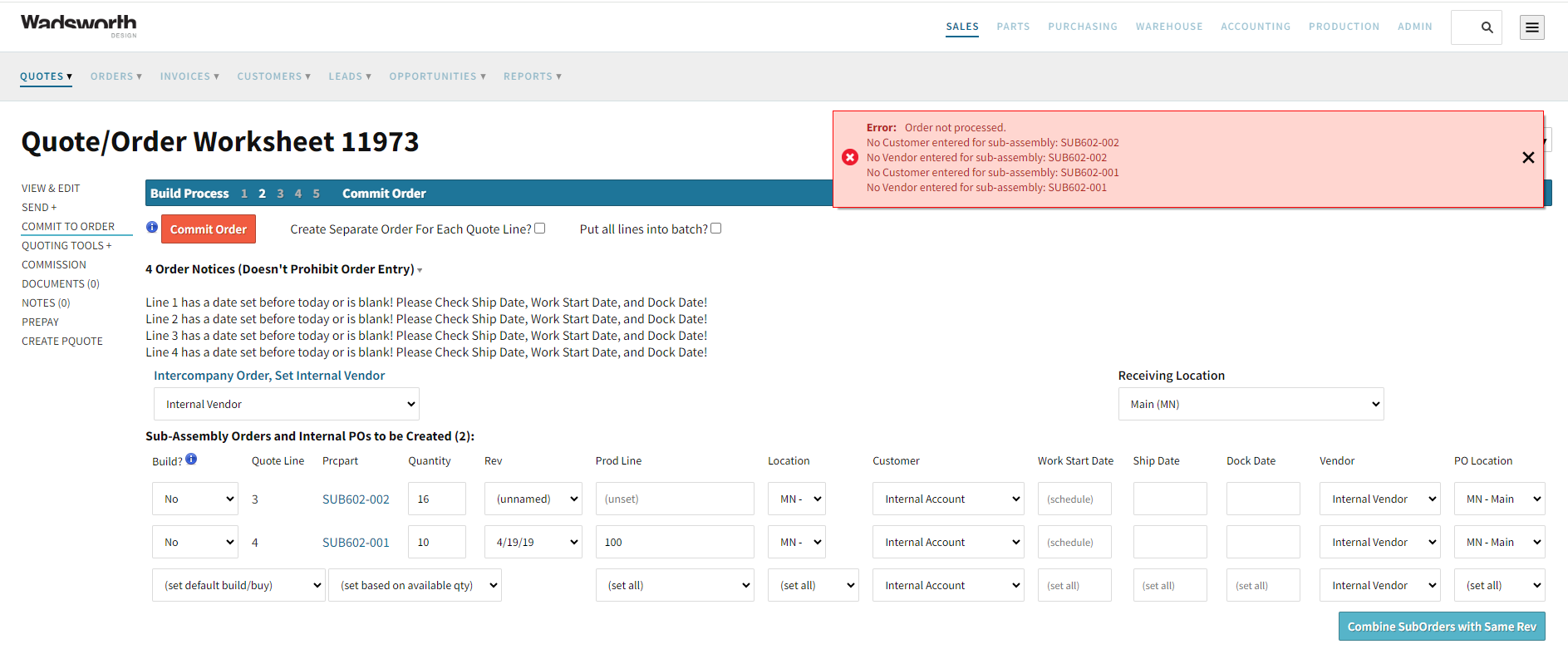
That’s interesting… The error appears almost everytime I create an internal order. Attached are a few more screenshots.
This topic was automatically closed 90 days after the last reply. New replies are no longer allowed.