Production Order List - Customer Currency Field

Hello Support Team,

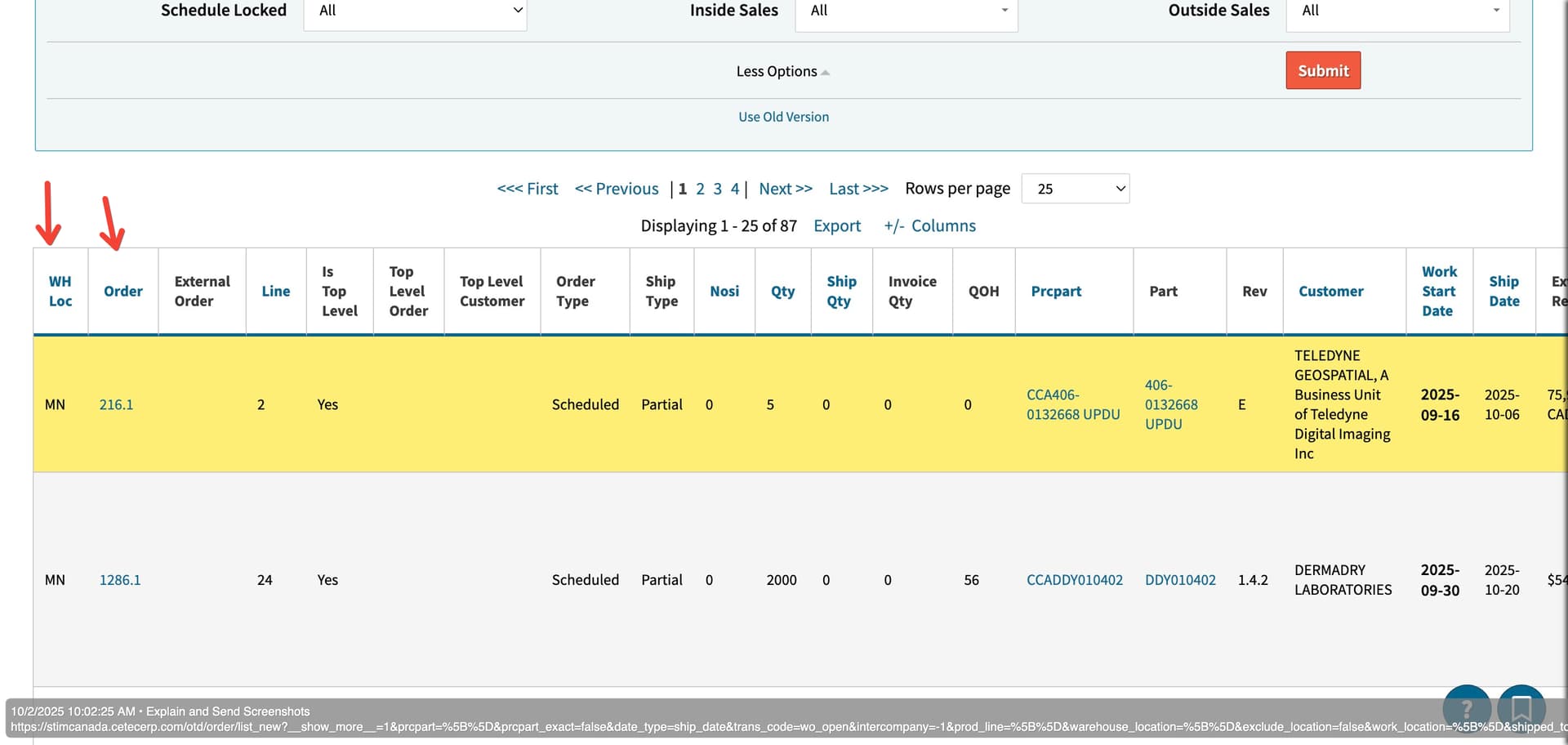
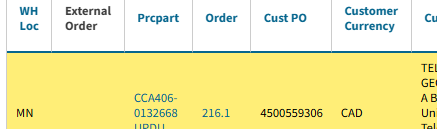
I’ve noticed that the Customer Currency field always appears empty in the Production Order List. However, the currency is correctly set as the Default Currency in the respective customer records.

Could you please advise whether this is a bug in the report or if there’s a step we might be missing in the setup or process?

I look forward to your guidance, and thank you for your continued support.

Best regards,
Mahtab

Hi @Mahtab

I would be happy to investigate this on your behalf. Would you mind sending me a link to the Production Order List where this appears, as well as any filters that you may have set?

As soon as I have that, I’ll begin testing immediately.

  • Cetec ERP Support

Hello Dear Support,

here is the link to the production order list under (PRODUCTION–>ORDERS–>PRODUCTION ORDER LIST tab)

I did not set any filter, just hit the submit button on the page.

I also noticed the External Order column in the report appears blank, too. it used to be a combination of WH Loc and Order number

I look forward to your advise, and thank you for your continuing support.

Regards,

Mahtab

Hi @Mahtab

I appreciate you share this with me.

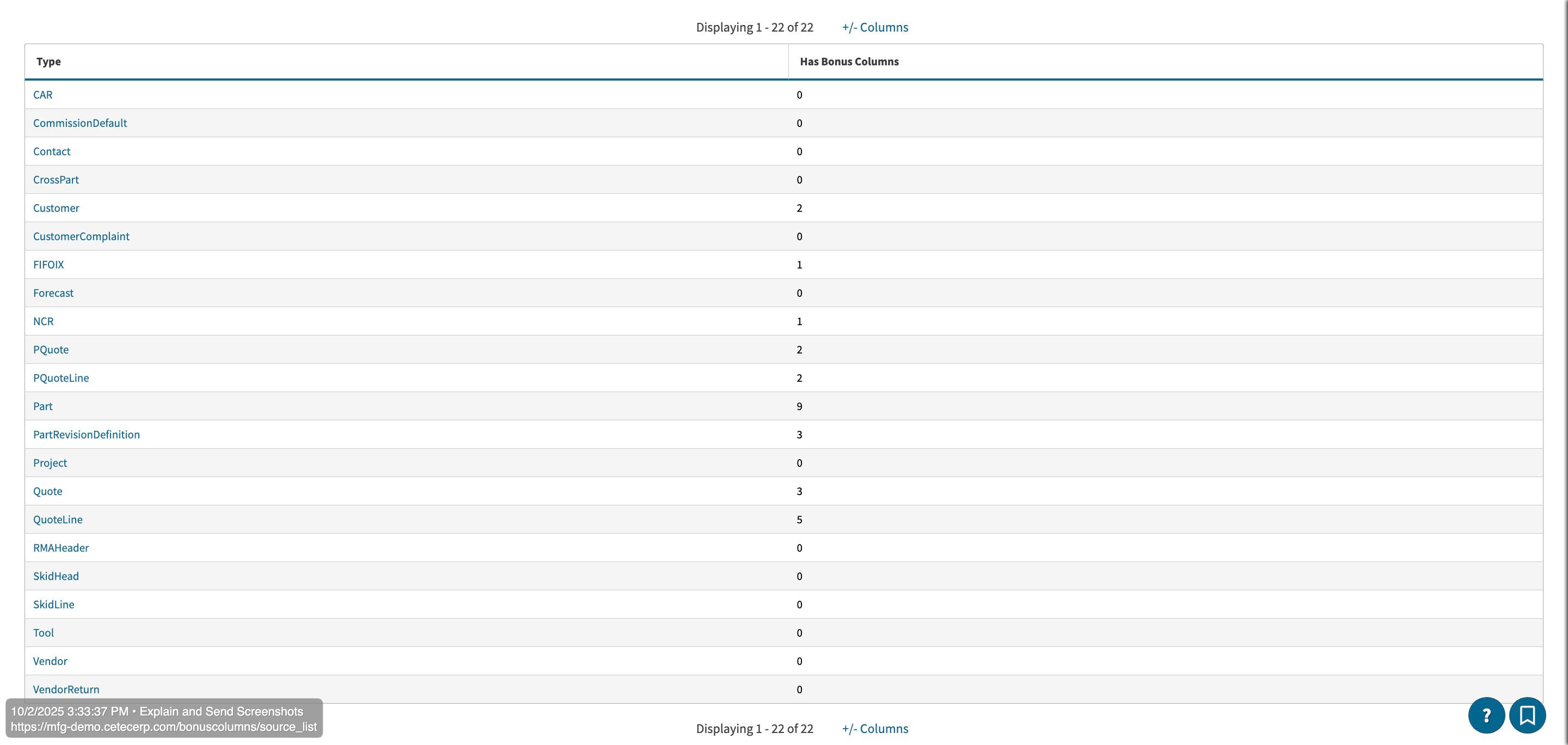
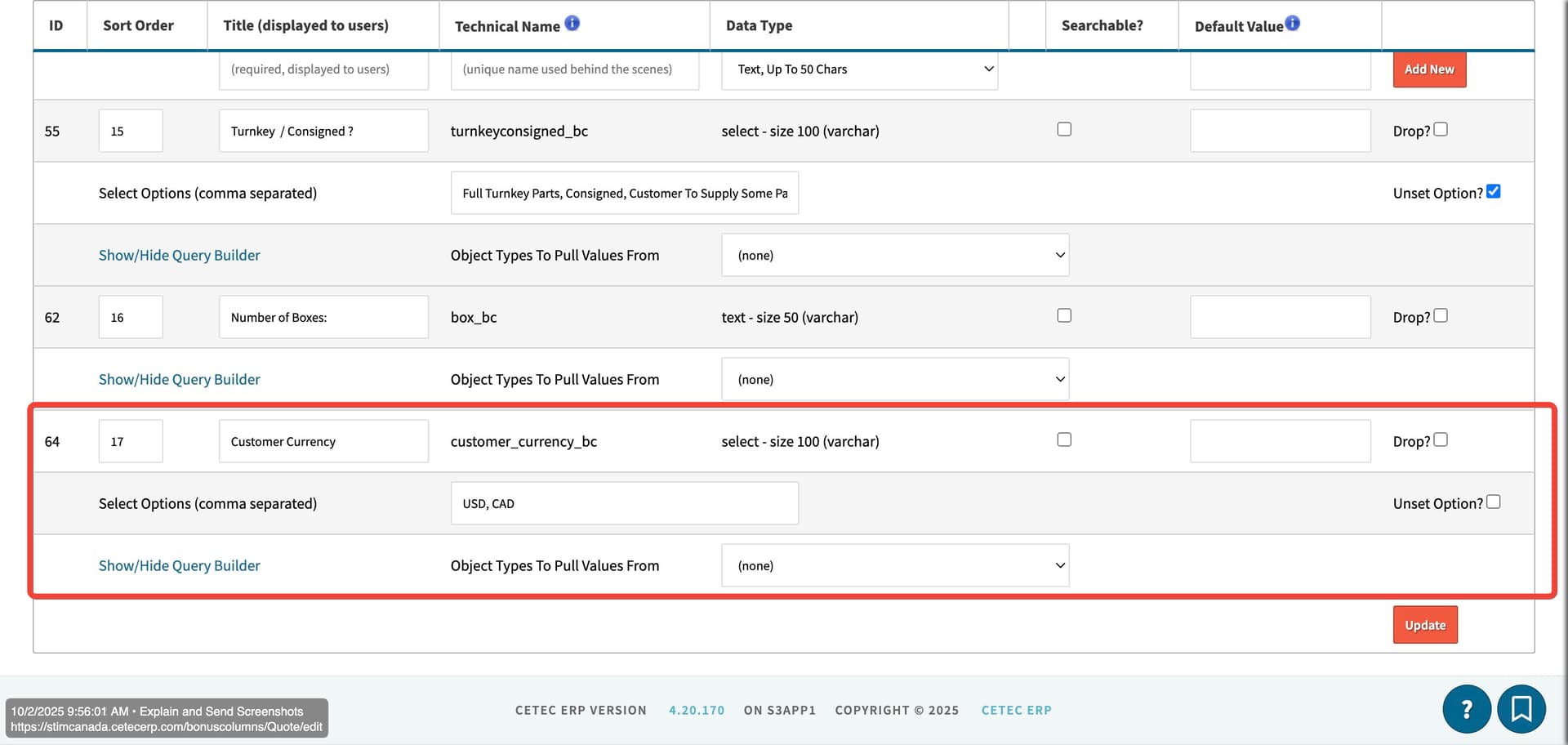
It looks like Customer Currency is a bonus column for your company, attached in the Quote Object:

You’ll need to make that bonus column searchable by checking the checkbox, clicking update, as well as updating the “Object Type Pulls Value From” to the Customer.

Please perform those steps and let me know if that solves the issue. I do not believe that those columns will pull retroactively, meaning since this was not set, the current production orders will likely not show in their columns. The best way to test is to view the quotes → orders → workorders that will be created after you make this adjustment.

In response to the External Order column, that column did not exist in the Old Version of the Production Order List. You still have the WH Loc and Order number in the New Version.
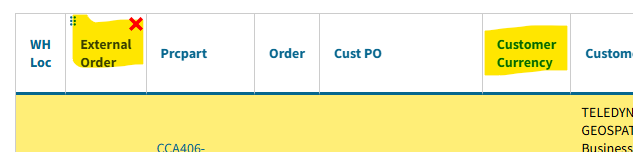
Please let me know if I have missed something here.

  • Cetec ERP Support

Hi Support team!

Thank you so much for your support!

I followed the steps and manually updated one of the current orders — the Bonus column now appears correctly in the report.

Everything looks great. I really appreciate your help!

Regards,
Mahtab

Quick question, can I add/use the same bonus column in A/p and A/R reports too?

Regards,
Mahtab

Hi @Mahtab

You are very welcome, I am glad it worked. :slight_smile:

To my knowledge, we currently do not have functionality to link bonus columns to A/P and A/R reports.

This would have to be something I would need to send over to our developers for consideration.

  • Cetec ERP Support

Well noted. Thank you, have a great rest of your day and weekend!

Regards,
Mahtab

This topic was automatically closed 90 days after the last reply. New replies are no longer allowed.