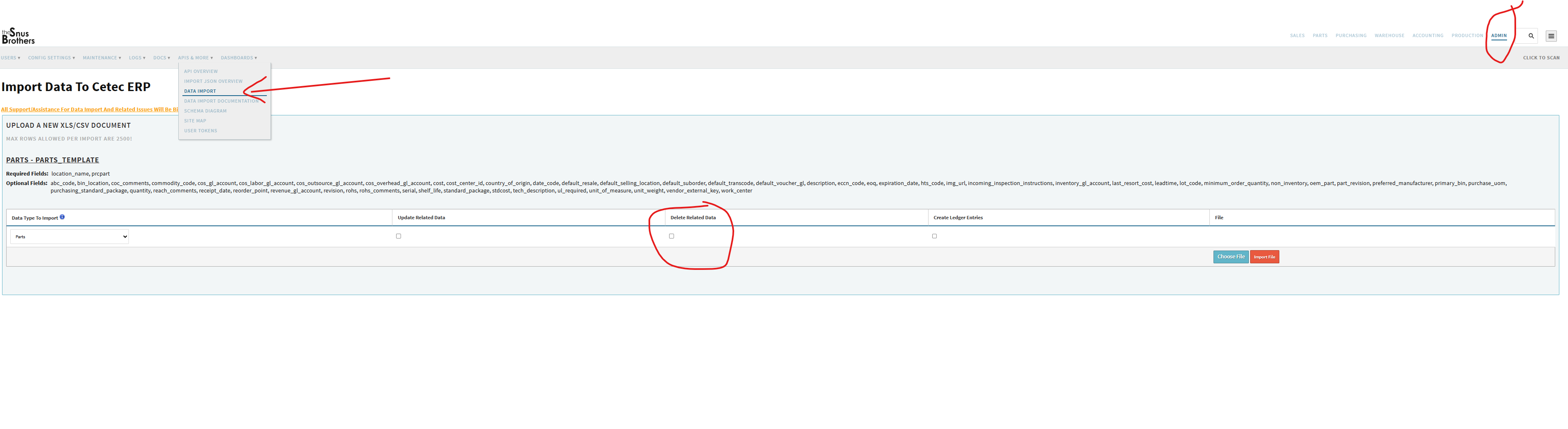
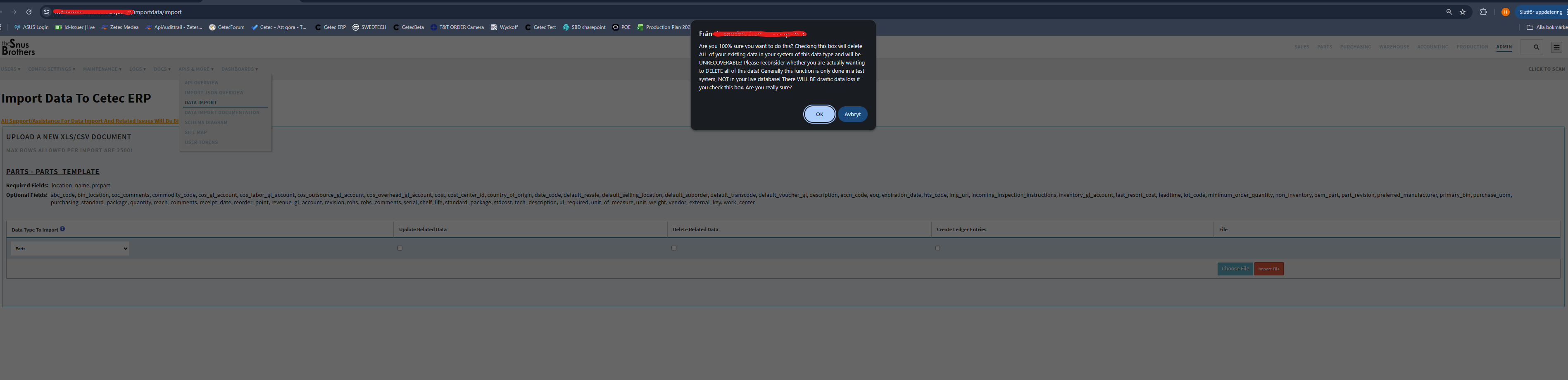
I was starting configuring my CETEC system, but I think I made a lot of silly mistakes and some of those cannot be deleted from CETEC history (like parts and orders). So I was wondering if someone knows how to do a “reset” of the system so I can start again configuring my platform.
So if this is what you want to do … then go ahead.
But be absolutly clear that it will delete all data! Not just the ones from the category that you choose e.g. Parts.
I did this a couple of times when I was starting up.
But I made sure I had exported all data that was ok and that I wanted to import again after the wipe.
Maybe you need an actual file to import to run this option… I do not remember.
But in that case just make a new import file with correct values and it will import that after the wipe.