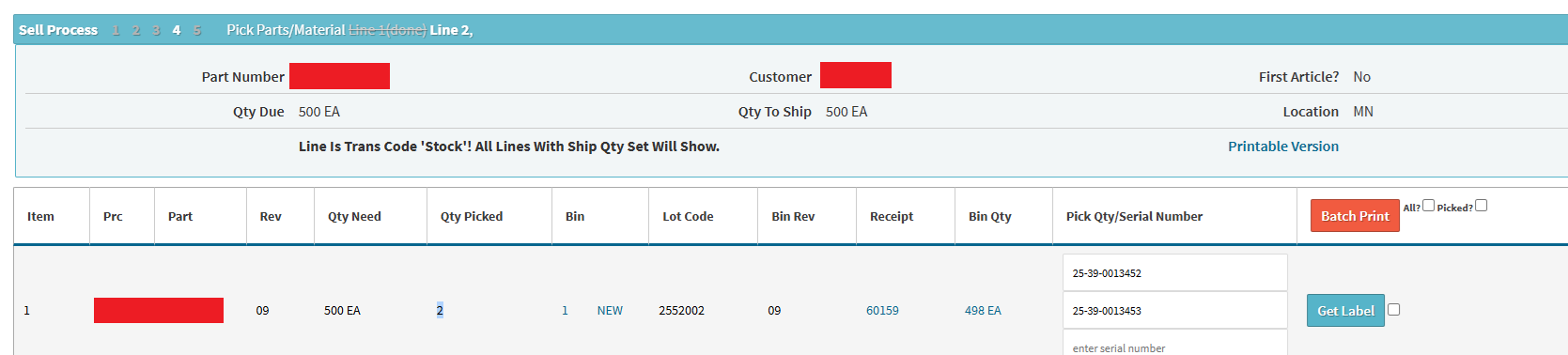
Hi, we have a line of 500 serial controlled parts to ship from stock - is there a way of quickly selecting multiple serial numbers rather than having to type them in individually that I can’t see?
Moving stock between bins you get a screen you can tick boxes and select all which is much faster, receiving you can paste a list, but shipping it looks like you have to do them one by one…if it’s from stock and not a build order - any way we can speed this up?
Apologies on the delayed response here - thank you for your patience. Regarding the process of shipping out serialized inventory and potentially speeding that up.
We strictly enforce the manual keying of serial numbers into the pick list page (inventory that’s going to be shipped out & consumed) on purpose. Serial numbers function as a double edged sword - it provides you traceability throughout the entire production process, populates on traceability reports, etc etc. At the same time, we want to make sure the serial number being used is correct, so we enforce manual entry of that data into the system.
As it currently stands, there’s no real way to speed up that process. If you’ve serialized inventory that’s going to be picked/shipped, it’s understood this was done intentionally, so the user has to intentionally key that data into the pick list for it to be shipped out.
Apologies on any inconvenience this may cause. The only other route that we can take here is for me to submit a ticket to our development team to review this request.
@msummers - as a heads up, we are exploring the idea of allowing a user to provide a serial range to pick and streamline some of the data entry (although, acknowledging the “human nature” risk this poses to indiscriminately picking/shipping specific serials undermines the whole purpose of serial-level traceability).
We are looking at the possiblity of including this when the “new version” of the pick parts module arrives (it is currently in process).
Just wanted to let you know about future possibilities with the Cetec product here.