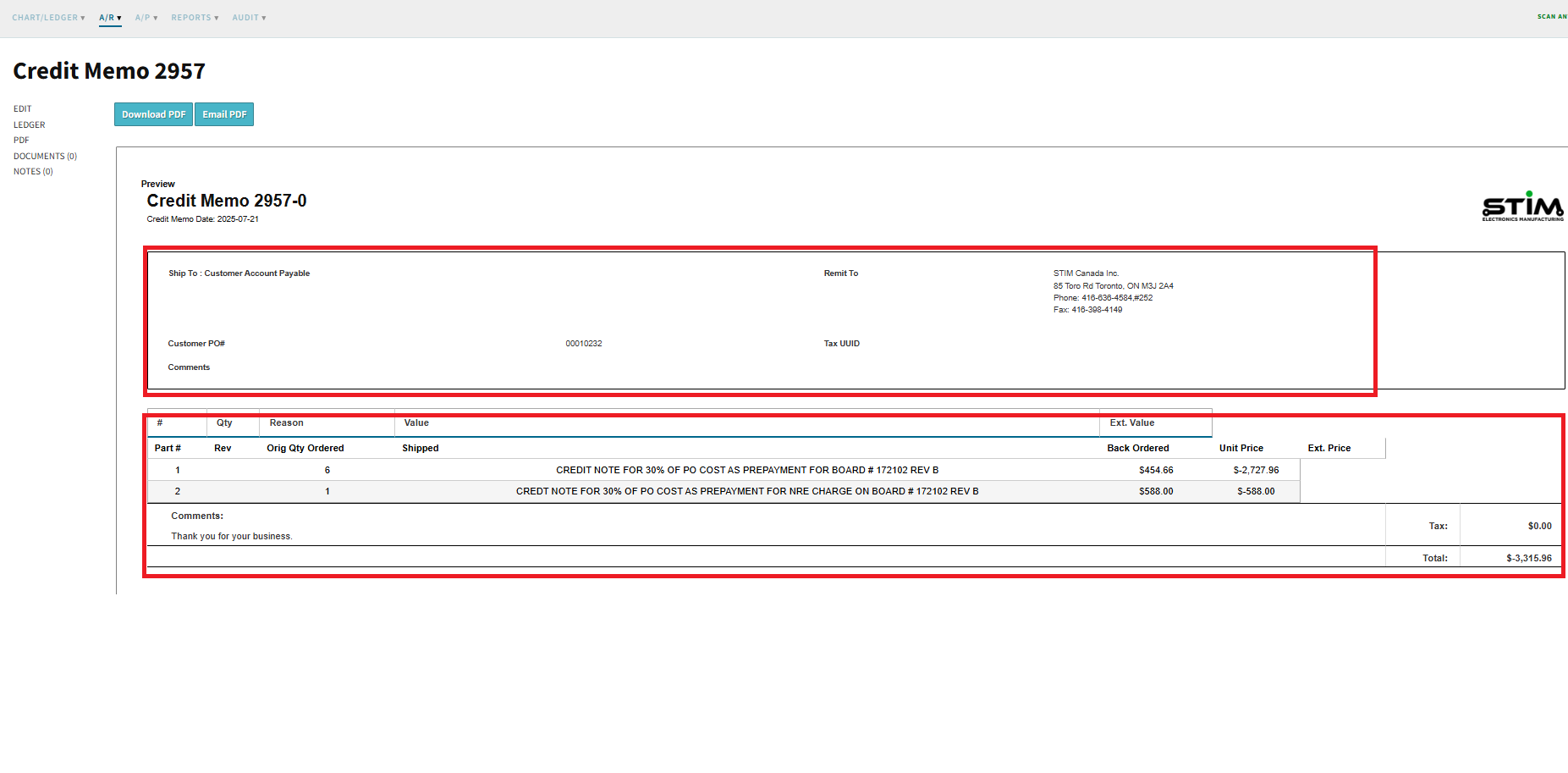
Our team attempted to send the credit memo PDF to the customer, but we’ve encountered an issue with the layout. Specifically, some of the fields and contents are misplaced, and the heading is missing key information. Please find attached screenshots for your review:
Could you kindly assist in updating the PDF to ensure that the contents are correctly aligned in the proper columns and address the misplacement issues?
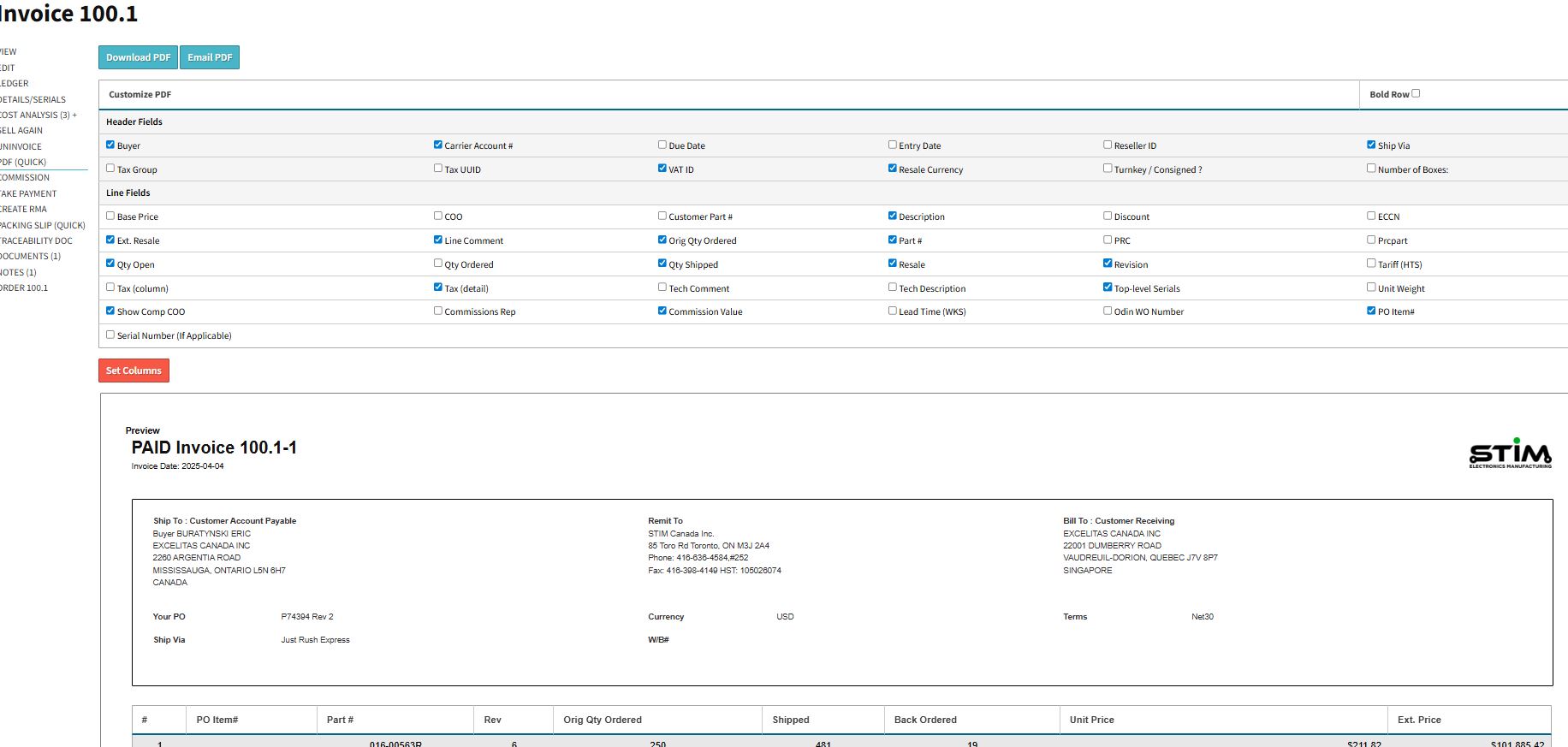
Additionally, would it be possible to have the Set Columns features in this window the same as Invoice view (as shown in the attached screenshot)?
@Mahtab I see that your invoice pdf has been customized.. the credit memo is effectively an invoice with negative value and it uses the same template for the pdf as the invoice. You can download the default invoice pdf template and then updload that as the custom document for the Credit Memo PDF and then the credit memo will use the default invoice PDF doc while the invoice pdf will use your custom doc.
Alternatively you will need to update your invoice pdf custom doc to handle the credit memo case.